Call Us Today! +91 99907 48956, +91 96503 08956 | info@analyticstraininghub.com

Generative AI for Data Analytics
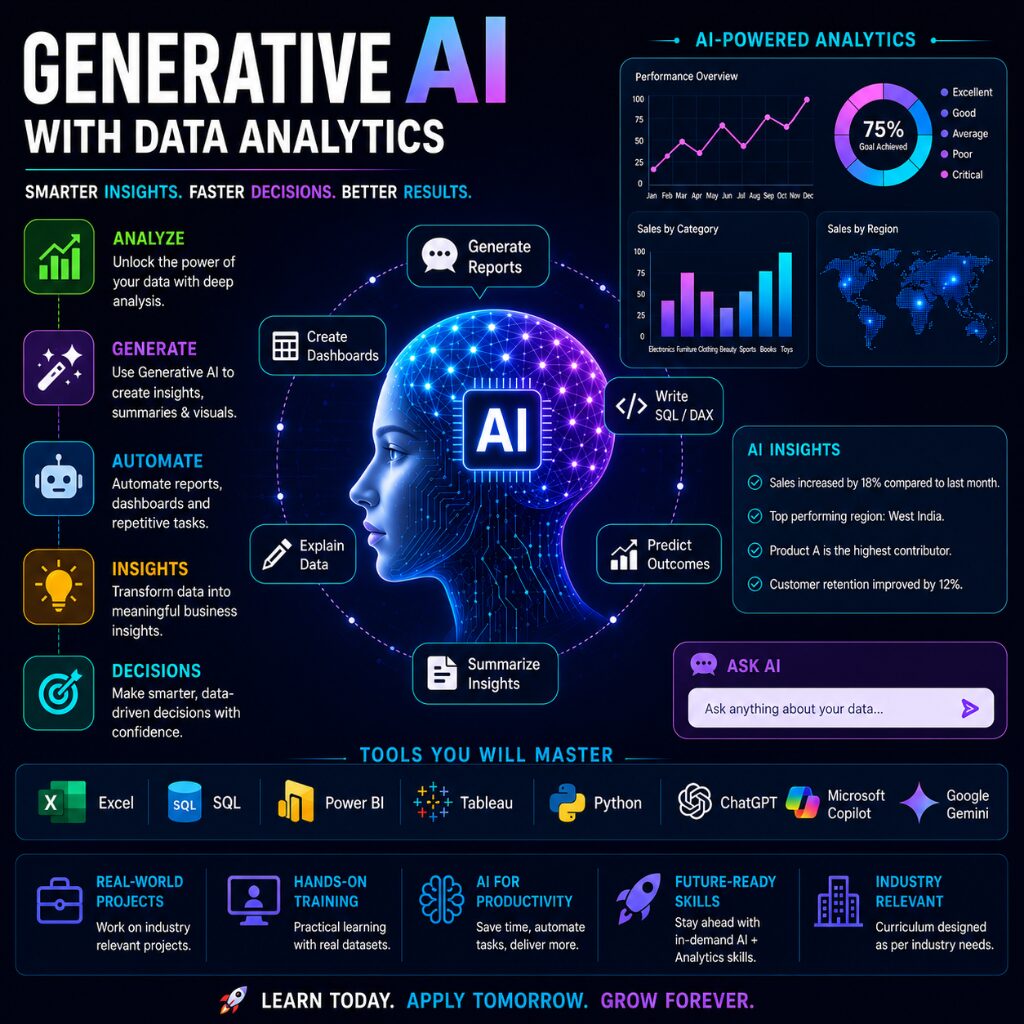
The world of Data Analytics is rapidly evolving with the power of Artificial Intelligence. Modern organizations are no longer looking only for professionals who can create reports and dashboards, they are looking for individuals who can work smarter, automate tasks, generate faster insights, and leverage AI-driven decision-making.
The Generative AI with Data Analytics Program is designed to bridge the gap between traditional analytics and the future of intelligent business reporting.
Whether you are a student, working professional, data analyst, MIS executive, or a non-technical learner exploring the analytics industry, this program will help you understand how AI and Data Analytics together are shaping the future of work.
Future scope of Generative AI
Generative AI is rapidly becoming one of the most transformative technologies across industries. From automation and analytics to content creation and intelligent decision-making, GenAI is changing the way businesses operate and professionals work.
Industries adopting AI:
- IT & Software
- Banking & Finance
- Healthcare
- Retail & E-commerce
- Manufacturing
- Telecom
- Education
- Marketing & Advertising
- Consulting
Career & Placement Opportunities
With the rapid adoption of Artificial Intelligence across industries, professionals with knowledge of both Data Analytics and Generative AI are becoming highly valuable in the job market.
After completing this program, learners can explore opportunities in:
- Data Analytics
- Business Intelligence
- Reporting & Automation
- AI-assisted Analytics
- Dashboard Development
- Data Visualization
- AI Productivity & Reporting Solutions
Who Should Join?
This program is ideal for:
- Students & Freshers
- Working Professionals
- Data Analysts
- MIS Executives
- Business Analysts
- Excel Users
- Reporting Professionals
- Power BI / Tableau Users
- Managers & Team Leads
- Non-technical learners exploring AI
Instructor-Led Online Training
| Batch Start Date | Class Type | Upcoming Slots | Timings | Location |
|---|---|---|---|---|
| 27th Sep'26 | Instructor-Led Training | Sold Out SAT & SUN (5.5 WEEKS) | 9:00 AM to 11:00 AM | Online & Offline |
| 11th Oct'26 | Instructor-Led Training | Filling Fast⚡ SAT & SUN weekday batch | TBD | Online & Offline |
| 17th Oct'26 | Instructor-Led Training | SAT & SUN Weekend Batch | TBD | Online & Offline |
Generative AI for Data Analytics
For the curriculum, you will cover in this course, click on the tab to check the detailed content
- Generative AI for Data Analytics
MODULE 1 – Introduction to Generative AI & AI Fundamentals
Duration: 2 Hours
Topics Covered
- What is AI?
- Difference:
- AI vs ML vs Deep Learning vs GenAI
- What is Generative AI?
- Evolution of AI
- Popular AI tools overview:
- ChatGPT
- Microsoft Copilot
- Google Gemini
- Claude
- Perplexity
- How GenAI is transforming analytics industry
- AI use cases in corporate environments
Practical Activities
- AI-assisted content generation
- AI Q&A exercises
- Understanding prompts
MODULE 2 – Prompt Engineering for Data Analytics
Duration: 2 Hours
Topics Covered
- What is Prompt Engineering?
- Types of prompts:
- Basic prompts
- Structured prompts
- Role-based prompts
- Analytical prompts
- Prompt frameworks:
- Persona-based prompting
- Chain prompting
- Contextual prompting
- Writing effective prompts for:
- Analytics
- Reporting
- Insights
- Dashboards
Hands-on
- Creating prompts for:
- KPI analysis
- Business Summaries
- Chart Suggestions
- Report Automation
- Stakeholder Communication
MODULE 3 – GenAI with Excel
Duration: 2 Hours
Topics Covered
- AI features in Excel
- Analyze Data Functionality
- Formula Generation using AI
- AI-Assisted:
- Data cleaning
- Formatting
- Summarization
- Pattern Identification
- Using ChatGPT for Excel formulas
- Generating:
- VLOOKUP
- XLOOKUP
- IF
- SUMIFS
- Dynamic array formulas
- AI for dashboard suggestions
Hands-on
- Formula generation using AI
- Excel automation prompts
- Data cleaning using AI support
MODULE 4 – GenAI with SQL
Duration: 2 Hours
Topics Covered
- Using AI for SQL Query Generation
- Converting Business Questions into SQL
- AI-assisted:
- Joins
- Subqueries
- CTEs
- Window Functions
- Query optimization using AI
- Explaining SQL queries with AI
Practical Activities
- Generate SQL queries from business scenarios
- Debugging SQL using ChatGPT
- Query explanation exercises
MODULE 5 – GenAI with Power BI
Duration: 2 Hours
Topics Covered
- AI visuals in Power BI
- Q&A feature
- Smart Narratives
- AI-assisted DAX generation
- Using AI for:
- KPI suggestions
- dashboard storytelling
- business insights
- Copilot in Power BI overview
- AI-driven dashboard optimization
Hands-on
- DAX generation prompts
- Dashboard enhancement ideas
- AI insight generation
MODULE 6 – GenAI with Tableau
Duration: 2 Hours
Topics Covered
- AI in Tableau ecosystem
- Tableau Pulse overview
- AI-assisted calculated fields
- AI-generated visualization suggestions
- Dashboard storytelling using AI
- Explain Data feature
Practical Activities
- AI-generated chart recommendations
- Visualization storytelling
- Business summary generation
MODULE 7 – Python + GenAI for Analytics
Duration: 2 Hours
Topics Covered
- Using AI to write Python code
- AI-assisted:
- Pandas Operations
- Data Cleaning
- EDA
- Visualization
- Generating charts using AI
- Debugging Python errors with AI
- AI-generated comments/documentation
Hands-on
- AI-generated Python scripts
- Cleaning datasets using AI support
- Visualization code generation
MODULE 8 – AI Productivity, Ethics & Real Corporate Use Cases
Duration: 2 Hours
Topics Covered
- AI productivity hacks for analysts
- Automating repetitive tasks
- AI for:
- Email Drafting
- Presentation Summaries
- Report Narration
- Stakeholder Communication
- Responsible AI Usage
- AI Limitations & Hallucinations
- Data Privacy & Compliance
- Future of AI in Analytics
Corporate Case Studies
- Sales dashboard automation
- HR analytics
- Financial reporting
- Operations reporting
- Marketing analytics
Final Activity
End-to-end AI-assisted analytics workflow demo
Suggested Tools
- ChatGPT
- Microsoft Copilot
- Excel
- Power BI
- Tableau
- SQL/MySQL
- Python
- Google Gemini
Deliverables
- Participants will receive:
- Training Notes
- Practice Exercises
- Prompt Library
- Sample Datasets
- Hands-on Assignments
- Completion Certificate
Target Audience
- Data Analysts
- MIS Executives
- Business Analysts
- Reporting Professionals
- Excel Users
- Power BI/Tableau Users
- Managers & Team Leads
- Non-technical professionals exploring AI
Learning Outcomes
By the end of the program, learners will be able to:
- Use GenAI tools confidently
- Automate reporting tasks
- Generate formulas, SQL & DAX using AI
- Build smarter dashboards
- Improve productivity significantly
- Create business insights faster
- Use AI responsibly in analytics workflows
Highlights
Instructor-Led Live Sessions
Real-Life Case Studies & Projects
100% Job Assistance Support
Learn directly from industry-experienced trainers through interactive and practical-oriented live sessions.
Work on industry-relevant datasets, dashboards, and business scenarios for hands-on learning experience.
Get support with resume building, interview preparation, mock interviews, and job opportunity updates.
Generative AI + Analytics Integration
Hands-on Practical Training
Industry-Oriented Resume
Learn how to use modern AI tools with Excel, SQL, Power BI, Tableau, and Python for smarter analytics.
Focus on practical implementation, assignments, dashboard development, and real-time analytics workflows.
Designed according to current market trends to help learners build modern AI-powered analytics skills.
- Let's Take A Step for Your Brighter Future

Frequently Asked Q&A
Generative AI is a type of Artificial Intelligence that can create content such as text, images, reports, code, dashboards, presentations, and insights based on user prompts or instructions.
Yes. This program is designed for both technical and non-technical learners. The concepts are explained from basic to advanced level with practical examples.
No prior coding knowledge is required to start the program. Basic computer understanding is enough to begin learning.
The program may include:
- ChatGPT
- Microsoft Copilot
- Google Gemini
- Microsoft Excel
- Microsoft Power BI
- Tableau
- SQL & AI-based automation tools
Prompt Engineering is the process of writing effective instructions/questions for AI tools to generate accurate and useful outputs.
Yes. The program includes:
- Hands-on assignments
- Real-world case studies
- Dashboard projects
- AI productivity tasks
- Reporting automation exercises
Yes. Generative AI can help in:
- data cleaning
- report generation
- SQL query writing
- dashboard summaries
- insight generation
- presentation creation
- automation of repetitive tasks
The program helps learners build industry-relevant skills. Placement assistance, resume guidance, interview preparation, and project exposure may also be provided.
Yes. Generative AI can help in:
- data cleaning
- report generation
- SQL query writing
- dashboard summaries
- insight generation
- presentation creation
- automation of repetitive tasks
The program helps learners build industry-relevant skills. Placement assistance, resume guidance, interview preparation, and project exposure may also be provided.
Learners can explore roles such as:
- Data Analyst
- Business Analyst
- BI Analyst
- Reporting Analyst
- AI-Assisted Analyst
- Dashboard Developer
- MIS Executive
- Analytics Consultant
AI is more likely to automate repetitive tasks, not completely replace skilled professionals. People who learn AI tools and adapt to new technologies will have better career opportunities.
Yes, depending on the program structure, learners may receive:
- Session recordings
- Notes
- Datasets
- Assignments
- Practice files
The training can be conducted:
- Online Live
- Classroom Training
- Corporate Training
- Hybrid Mode
A basic laptop/desktop with:
- Internet connection
- Updated browser
- Minimum 8GB RAM recommended is generally sufficient.
Student's Review
Really enjoyed the course.. It gave an amazing experience of 2 days session with Mr. Anil Dhawan Sir, It was very useful and informative. ATH is a very good place to learn data analytics courses. Learn a lot from the session..

I have get the training of excel for 2 days from anil dhawan sir. It was the great and amazing experience. We learnt a lot new things and it's very beneficial for our future.


I have completed four modules from ATH. It was a great learning experience as the Instructors are highly trained professionals, who have in depth knowledge of all the concepts and provide variety of case studies. This helped me understand all the modules effortlessly.


Recommended Courses


Learn Data Analytics, Power BI, Tableau, & Advance Excel with hands-on training & 100% job assistance.
Connect with us!
Our Programs
Discover
Contact Info
+91 99907 48956
info@analyticstraininghub.com
Address
91 Springboard, B1/H3, NH-19, Block B, Mohan Cooperative Industrial Estate, New Delhi, Delhi - 110044
Professional Courses
Data Analytics – Advanced | Data Analytics – Intermediate | Data Analytics – Basic | Data Science program | Data Science Using Python | Python Core programming | Microsoft Excel Course | Excel VBA & Macros Course | MySQL Program Course | Power BI Course | Tableau Course | MIS Training | Data Visualization Course with Power BI | Data Visualization Course with Power BI & Tableau
Master's Programs
Microsoft Excel | VBA – Macros | My SQL / SQL Server | MS Power BI | Tableau | Python | Data Science Using Python | R Programming | Data Analytics – Basic | Data Analytics – Intermediate | Data Analytics – Advanced | Data Science Certification Program
Popular Searches
Data Analyst Training Course In Delhi | Data Analyst Training Course In Noida | Data Analyst Training Course In Gurgaon | Data Analyst Training Course In Bangalore | Data Science Course in Delhi | Data Science Course In Noida | Data Science Course In Gurgaon | Data Science Course
© 2016-2026 | Analytics Training Hub ( A Unit Of Medhya Analytics Solutions Pvt. Ltd.) | All Rights Reserved
Data Analytics – Advanced | Data Analytics – Intermediate | Data Analytics – Basic | Data Science program | Data Science Using Python | Python Core programming | Microsoft Excel Course | Excel VBA & Macros Course | MySQL Program Course | Power BI Course | Tableau Course | MIS Training | Data Visualization Course with Power BI | Data Visualization Course with Power BI & Tableau
Microsoft Excel | VBA – Macros | My SQL / SQL Server | MS Power BI | Tableau | Python | Data Science Using Python | R Programming | Data Analytics – Basic | Data Analytics – Intermediate | Data Analytics – Advanced | Data Science Certification Program
Data Analyst Training Course In Delhi | Data Analyst Training Course In Noida | Data Analyst Training Course In Gurgaon | Data Analyst Training Course In Bangalore | Data Science Course in Delhi | Data Science Course In Noida | Data Science Course In Gurgaon | Data Science Course